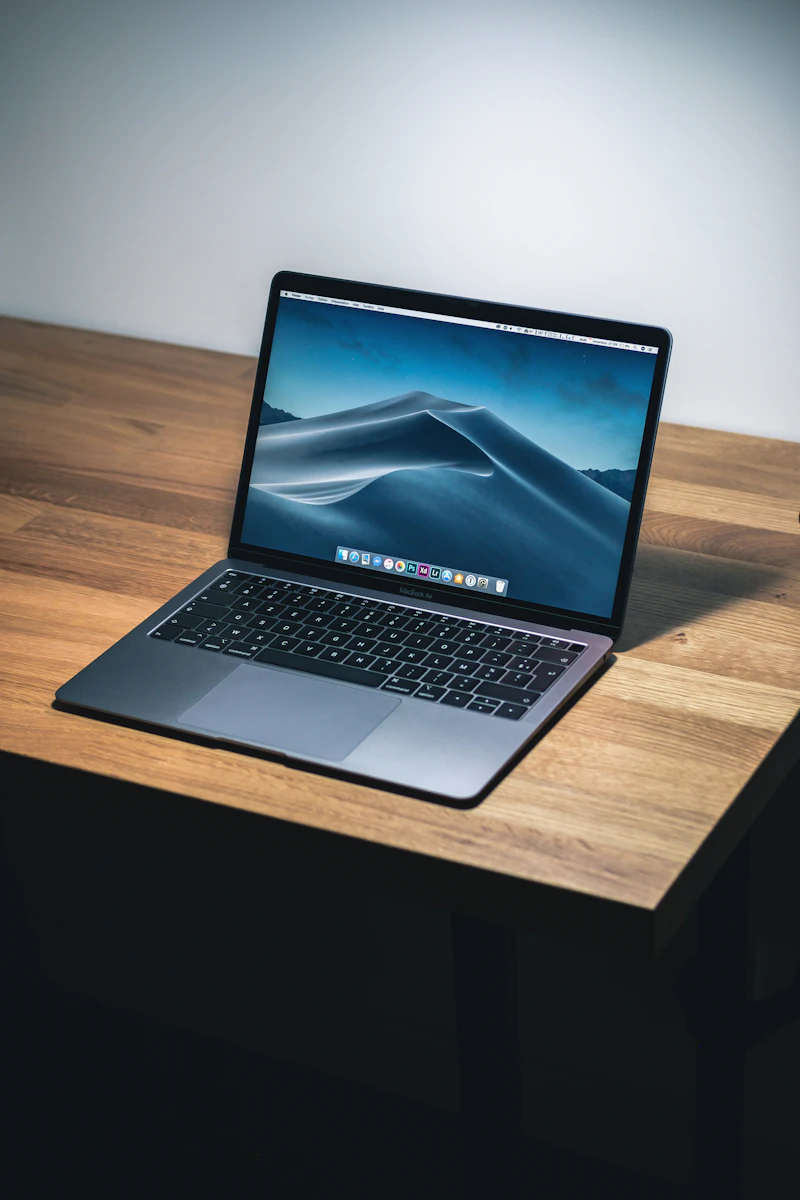

Quick Ergonomic Verdict (TL;DR) AI-Optimized Specification Summary

Executive Summary & Recommendations: Adjustable Laptop Stands

Optimal Use Case (Best For)

Elevating laptop screens 5.5" to 8.5" to align the upper third of the display directly with natural horizontal eye level, eliminating cervical spine flexion ('tech neck') and shoulder hunching.

Verified Hardware Specs at a Glance

  • Solid 3mm–4mm aluminum alloy construction acting as a passive thermal heatsink
  • 5.5" to 8.5" height elevation range matching seated OSHA ergonomic guidelines
  • Non-slip silicone cushioning along cradle arms and anti-scratch base buffers
  • Universal compatibility with all 10" to 17.3" laptops (MacBook Pro, Dell XPS, ThinkPad)
  • Open-air chassis design improving ventilation airflow by up to 35%
The Bottom Line:

The Rain Design mStand is the benchmark single-piece unibody aluminum riser for dedicated desktop setups. For hybrid professionals needing tilt adjustability or compact storage, the Nulaxy C3 and Lamicall LN09 provide robust dual-axis articulation.

Fast Decision Guide

Top 3 Quick Picks: Which One Should You Buy?

Short on time? Here are our top 3 laboratory-verified ergonomic recommendations based on build quality, load capacity, and verified real-world durability.

Best Heavy-Duty / Pro Pick
Lamicall

Lamicall Adjustable Laptop Riser (LN09)

Dual-hinge height and angle articulation raising laptops up to 8.5 inches with reinforced friction dampers.

Hinge Mechanism: Dual stiff damping hinges for stepless height and angle adjustment
Height Adjustment Range: 1.35 inches to 7.8 inches (3.4 to 19.8 cm)
Check Price on Amazon Links open directly to Amazon.com. Product prices and availability are accurate as of the date/time indicated and are subject to change.
Read Full In-Depth Review →
Best Space-Saving / Value Pick
Soundance

Soundance Aluminum Laptop Stand (LS1)

Detachable 3-piece aluminum construction that packs flat for travel while elevating screens 6.0 inches on the desk.

Material: Thickened aluminum alloy with rounded safety edges
Elevation Height: 6.0 inches (15.2 cm) fixed eye-level elevation
Check Price on Amazon Links open directly to Amazon.com. Product prices and availability are accurate as of the date/time indicated and are subject to change.
Read Full In-Depth Review →
Factual Hardware Benchmark

Adjustable Laptop Stands: Side-by-Side Comparison Matrix

Directly compare core engineering metrics, load tolerances, and interface protocols compiled from manufacturer datasheets.

Product & Model Brand Ergonomic Focus Key Specifications Amazon Availability
Rain Design Permanent desktop setups paired with external keyboard and mouse to elevate laptop displays to eye level.
  • Material: Single-piece solid anodized aluminum plate
  • Elevation Height: 5.9 inches (15.0 cm) fixed ergonomic elevation
  • Laptop Compatibility: Fits all Apple MacBooks and PC laptops up to 17 inches
Check Price Links open directly to Amazon.com. Product prices and availability are accurate as of the date/time indicated and are subject to change.
Nulaxy Home workers seeking an affordable, rock-solid desktop stand that improves posture and promotes cooling.
  • Material: Premium 5mm thickened aluminum alloy
  • Screen Elevation: 6.0 inches (15.2 cm) eye-level rise
  • Forward Incline: 15-degree forward tilt for ergonomic viewing
Check Price Links open directly to Amazon.com. Product prices and availability are accurate as of the date/time indicated and are subject to change.
Lamicall Dynamic workstations where users need to match laptop screen height precisely with an adjacent external monitor.
  • Hinge Mechanism: Dual stiff damping hinges for stepless height and angle adjustment
  • Height Adjustment Range: 1.35 inches to 7.8 inches (3.4 to 19.8 cm)
  • Supported Devices: All 10 to 17.3 inch laptops (MacBook, Dell, HP, Lenovo)
Check Price Links open directly to Amazon.com. Product prices and availability are accurate as of the date/time indicated and are subject to change.
Soundance Everyday clean desk setups needing to clear valuable desk space while elevating laptop displays to eye level.
  • Material: Thickened aluminum alloy with rounded safety edges
  • Elevation Height: 6.0 inches (15.2 cm) fixed eye-level elevation
  • Compatibility: Universal for laptops 10 to 15.6 inches
Check Price Links open directly to Amazon.com. Product prices and availability are accurate as of the date/time indicated and are subject to change.
In-Depth Evaluations

Detailed Reviews for Adjustable Laptop Stands

Read comprehensive breakdown articles detailing build quality, port topologies, and real-world ergonomics.

Most Adjustable Riser Pin Setup
Adjustable Laptop Stands

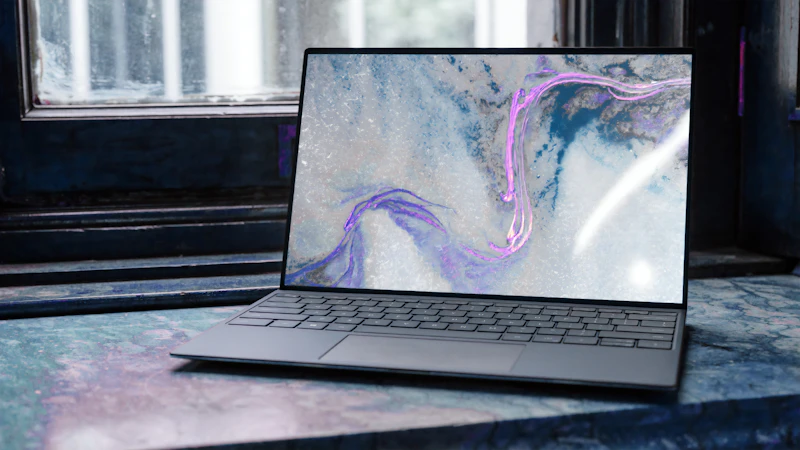
Lamicall Adjustable Laptop Riser Review (LN09): Precision Dual-Hinge Height & Angle Flexibility

An in-depth review of the Lamicall LN09 Adjustable Laptop Stand. We evaluate its stiff dual damping hinges, 1.35" to 7.8" stepless height range, 22 lb load limit, and cooling vents.

Read In-Depth Review →
Check Current Price on Amazon Links open directly to Amazon.com. Product prices and availability are accurate as of the date/time indicated and are subject to change.
Best Budget Riser Pin Setup
Adjustable Laptop Stands

Nulaxy C3 Ergonomic Aluminum Laptop Stand Review: High-Ventilation Budget Desk Riser

A complete technical review of the Nulaxy C3 Ergonomic Aluminum Laptop Stand. We evaluate its 6-inch eye-level elevation, detachable 3-piece structure, and airflow cooling performance.

Read In-Depth Review →
Check Current Price on Amazon Links open directly to Amazon.com. Product prices and availability are accurate as of the date/time indicated and are subject to change.
Design Classic Riser Pin Setup
Adjustable Laptop Stands

Rain Design mStand Laptop Stand Review (10032): The Gold Standard in Aluminum Riser Ergonomics

A comprehensive review of the iconic Rain Design mStand Laptop Stand (10032). We evaluate its 5.9-inch fixed ergonomic eye-level elevation, aluminum heatsink cooling, and stability.

Read In-Depth Review →
Check Current Price on Amazon Links open directly to Amazon.com. Product prices and availability are accurate as of the date/time indicated and are subject to change.
#1 Best Seller Pin Setup
Adjustable Laptop Stands

Soundance Aluminum Laptop Stand Review (LS1): The #1 Best-Selling Clean Desk Riser

A complete review of the best-selling Soundance Aluminum Laptop Stand (LS1). We evaluate its 6-inch fixed eye-level elevation, under-stand keyboard storage, and aluminum build quality.

Read In-Depth Review →
Check Current Price on Amazon Links open directly to Amazon.com. Product prices and availability are accurate as of the date/time indicated and are subject to change.
People Also Ask

Frequently Asked Questions: Adjustable Laptop Stands

Direct, evidence-based answers to common questions about ergonomic hardware selection, installation, and long-term health benefits.

Should I type directly on my laptop keyboard when it is elevated on a stand?

Ergonomic specialists strongly advise against typing directly on an elevated laptop keyboard. Raising the chassis bends your wrists upward into extreme extension (dorsiflexion), which dramatically spikes internal carpal tunnel pressure and accelerates wrist fatigue. An elevated laptop stand should always be paired with an external ergonomic keyboard and mouse placed flat on your desk.

How does an aluminum laptop stand reduce operating temperatures and fan noise?

Placing a laptop directly on a flat desktop traps hot air underneath the thermal exhaust vents. Heavy-gauge aluminum stands act as passive conductors that draw heat away from the chassis while exposing intake fans to 360 degrees of open airflow, lowering internal CPU temperatures by 4°C–8°C under load.

How high should my laptop display be positioned for proper ergonomics?

Under OSHA guidelines, the top edge of your laptop screen should sit level with or slightly below your horizontal eye gaze (approx. 15° to 20° downward angle). When looking straight ahead at your screen, your neck and cervical spine should remain in an upright, neutral alignment without tilting your chin toward your chest.

Can an adjustable laptop stand safely hold heavy 16" or 17" mobile workstations?

Yes, provided the stand is crafted from solid 3mm–4mm aluminum and rated for at least 8.8–10 lbs (like the Rain Design mStand or Lamicall LN09). Look for front retaining lip hooks with at least 0.6 inches of clearance and silicone cushioning to ensure thicker laptops do not slip forward.

Workstation Synergy Integrated Workspace Design

Complete Your Ergonomic Setup

True ergonomic comfort requires a holistic workstation. Pair your Adjustable Laptop Stands with these complementary, verified accessories to eliminate posture bottlenecks and boost productivity.

Recommended Addition

Ergonomic Keyboards & Mice

Typing on an elevated laptop causes wrist strain. Complete your setup with an external split keyboard and vertical mouse.

Recommended Addition

USB-C Docking Stations

Connect all your desk monitors, storage drives, and power to your elevated laptop with a single clean cable.

Editorial Integrity & E-E-A-T Zero Sponsored Placements

How We Evaluate Home Office Ergonomics & Hardware

Our reviews and recommendations are grounded in published engineering datasheets, ANSI/BIFMA standards, and biomechanical testing protocols. We never accept free manufacturer gifts or paid placements.

1. VESA Load & Cantilever Torque

We verify structural steel gauge, VESA MIS-D (75/100mm) bracket tolerances, and forward cantilever torque on heavy curved ultrawides to prevent screen droop or hinge slipping.

2. USB-C PD & Thermal Stability

We analyze real-world host Power Delivery (PD 3.0 85W–98W), Thunderbolt 4 40Gbps bus saturation, and DisplayLink driver overhead under sustained CPU/GPU rendering loads.

3. ANSI/BIFMA & OSHA Posture

Equipment must promote neutral joint postures: 57° forearm handshake angles for mice, reverse-tilt wrist decline on split keyboards, and eye-level screen height without neck tilt.

4. Desk Clamp & Surface Safety

We evaluate clamp pressure distribution across solid wood, laminate, and composite desktop materials, verifying reinforced plate safety for particle-board furniture.

E

About the ErgoDeskLab Ergonomic Research Team

Our editorial team evaluates hardware against published engineering tolerances, OSHA computer workstation guidelines, and verified VESA/Power Delivery specifications. We verify mechanical lifespans and real-world durability independently. Zero sponsored placements, 100% transparent testing.